Inventory management for construction sites and mobile teams
Manage not only the hours worked, but also the materials and tools on your sites, in your warehouses and in your company vehicles.

Manage site stock without paper material slips
On a construction site, materials are delivered, moved and consumed daily. Without an up-to-date record, it is difficult to know which materials are still available, what needs to be reordered in time, and which goods may be missing.
With the extendable inventory functionality of iwantservice.net, employees can record materials via their smartphone. Materials are linked to the correct site, storage area, van, construction truck, employee or crew.
Extendable functionality
Material tracking is an extendable feature that can be tailored to your company's way of working.
What you can track
With consistent material tracking, your company gains visibility on:
- which materials are present on a site
- what quantity was originally delivered
- how much material was used
- how much material is still available
- which materials were moved to another site
- which employee or crew took material
- which materials are in a van
- which materials are in a construction truck
- which materials are in a central warehouse
- which materials are in a site warehouse
- which products are nearly used up
- which materials need to be reordered in time
- which materials are damaged, lost or not found
- when a material movement was recorded
- where a material was last scanned
Stock locations with their own QR code
Every stock location can be given its own unique QR code, so that every movement is linked to a clear location.
Warehouses and storage
- central warehouse
- regional warehouse
- site warehouse
- temporary storage area
- storage container
- technical room
- secured material zone
Vehicles
- van
- service vehicle
- construction truck
- mobile workshop
Sites and locations
- specific site
- specific work zone
- location
- contractor zone on an industrial site
How it works via QR codes
- 1
Create location
The responsible person creates a site, warehouse, storage area or vehicle.
- 2
Generate QR code
iwantservice.net generates a unique QR code for this location.
- 3
Label material
Materials, tools or material categories are also given a QR code.
- 4
Scan location
The employee first scans the location the material is taken from.
- 5
Scan material
The employee scans the material.
- 6
Enter quantity
The employee records the quantity.
- 7
Choose action
The employee chooses the action.
- 8
Update stock
Stock is updated.
- 9
Save movement
The material movement is saved with date, time, employee and location.
Possible material actions in the mobile app
Large buttons, few steps and clear confirmations: the mobile interface is built for quick use on site.
- 1. Scan the location
- 2. Scan the material
- 3. Quantity
- 4. Choose the action
- Receive
- Deliver
- Put into stock
- Take out of stock
- Use
- Partially use
- Move
- Take to a site
- Load into a van
- Put back
- Return
- Transfer to a colleague
- Transfer to another crew
- Transfer to another site
- Report damaged
- Report lost
- Report missing
- Flag for review
- Request order
Available actions can be configured to match your company's processes and user permissions.
Interactive demo: material from warehouse to site
Follow step by step how a material movement is recorded via QR codes. Stock is updated per location.
Cable reel 3G2.5
- Central warehouse
- 40 reel
- Van 12
- 0 reel
- Grote Markt site
- 0 reel
- Used
- 0 reel
Example view with fictitious data.
Step 0/10
- 1.The employee scans “Central warehouse”.
- 2.The employee scans “Van 12”.
- 3.The employee scans twenty cable reels.
- 4.Stock is moved from the warehouse to the van.
- 5.On arrival, the employee scans “Grote Markt site”.
- 6.Ten cable reels are placed on site.
- 7.Six cable reels are recorded as used.
- 8.Four cable reels remain available on site.
- 9.Ten cable reels remain in the van.
- 10.Stock is automatically shown per location.

From warehouse to site
The warehouse worker assigns materials to a site, crew or vehicle. The site manager sees which goods are on their way and what has been delivered on site.
Track consumption per site and project
Recorded materials can be linked to a site, project, work order, installation, intervention or activity. This provides a clearer overview of actual material consumption per job.
Track material by
- customer
- site
- project
- work order
- activity
- installation
- employee
- crew
- subcontractor
- vehicle
- location
- period
Possible benefits
- more accurate post-calculation
- better preparation for invoicing
- comparison between estimated and actual consumption
- greater insight into project costs
- faster identification of discrepancies
- fewer manual material slips
- fewer forgotten entries
- better preparation for new orders
Prevent material shortages
A minimum stock level or warning threshold can be set for important materials. As soon as the recorded stock falls below that threshold, the system can flag the material as nearly used up, show a notification to the responsible person, place the material on an order list, prepare a reorder proposal, and inform the site or warehouse manager.
Orders and integrations
Depending on the configuration, notifications, order lists and future integrations with supplier or ERP systems can be provided.
Faster visibility on missing materials
In the event of loss, mistakes or possible theft, it is important to be able to quickly check which materials should be present according to the latest records.
iwantservice.net can show the last recorded location, quantity and material movement. This gives the responsible person faster visibility of discrepancies between recorded and actually present stock.
Possible information for a discrepancy
- material name
- internal item number
- category
- recorded quantity
- counted quantity
- difference
- last scan
- last recorded location
- last employee to record an action
- related site or vehicle
- material status
- note or photo relating to a discrepancy
Important
These records can help identify stock discrepancies and missing materials more quickly. On their own, they do not constitute conclusive proof of theft or liability. Correct operation continues to depend on timely scans, stock checks, internal procedures and proper use by employees.
Stock count and verification
- 1
Open count
The responsible person opens a stock count.
- 2
Choose location
A warehouse, site, van or construction truck is selected.
- 3
Scan
Employees scan the materials present.
- 4
Count
The actual counted quantities are entered.
- 5
Compare
The system compares the count with the recorded stock.
- 6
Show differences
Differences are shown in an overview.
- 7
Process
An authorised user reviews and processes the corrections.
Possible statuses for a count
- correct
- shortage
- surplus
- damaged
- not found
- to be checked
- correction required
- count approved
Mobile stock in vans and construction trucks
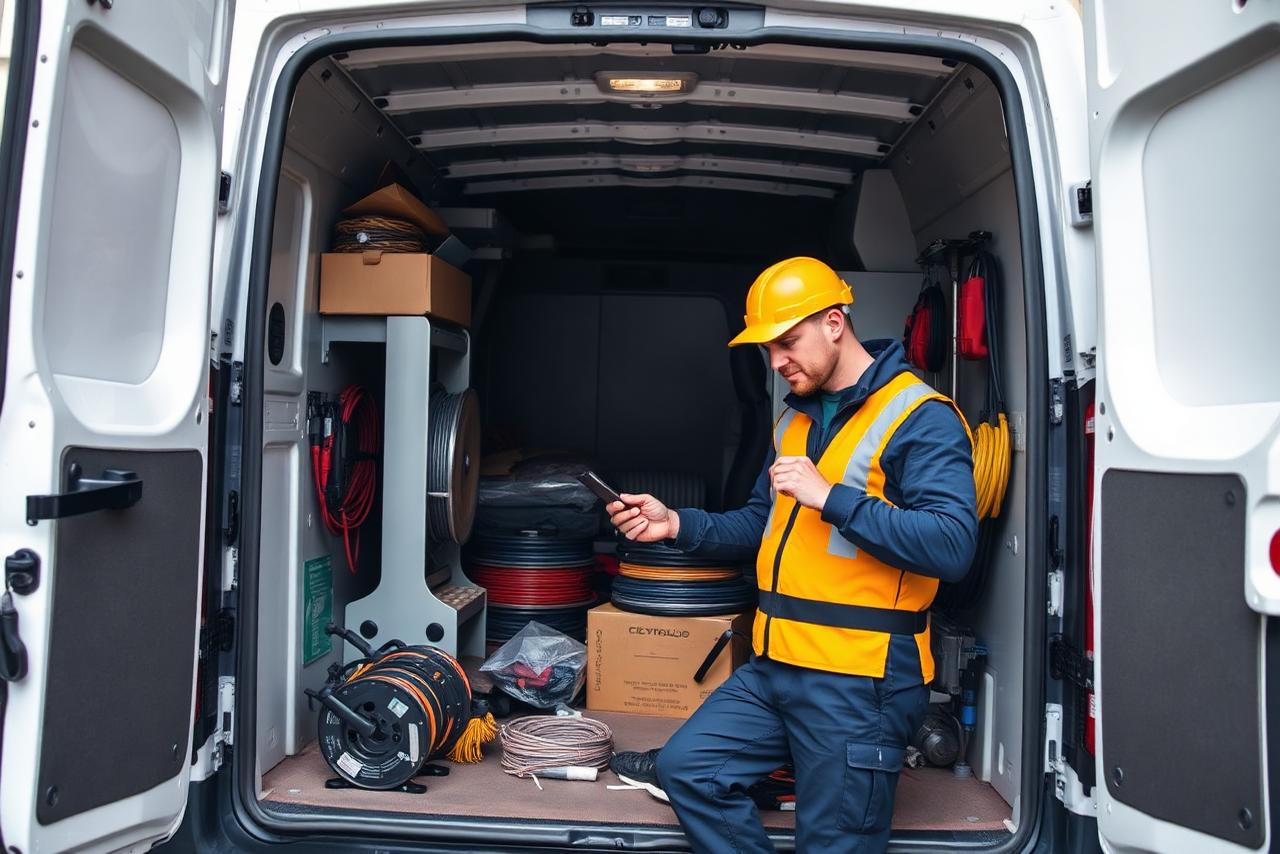
For electricians, plumbers, HVAC technicians, maintenance teams and construction crews, the van is often a mobile warehouse. Construction trucks can also carry large quantities of materials and tools.
By giving each vehicle a unique QR code, stock can be tracked per van or construction truck.
What the system can record per vehicle
- which materials were loaded into the vehicle
- which warehouse they came from
- who loaded the materials
- which site they are intended for
- which materials were unloaded on a site
- which materials remained in the vehicle
- what was used
- what was brought back
- which materials are missing
- which stock needs to be replenished
- in which vehicle a tool or material was last recorded
Example van workflow
- 1
1
The employee scans the QR code of the central warehouse.
- 2
2
The employee scans the QR code of the van.
- 3
3
Materials are scanned and recorded in the vehicle.
- 4
4
On arrival, the employee scans the QR code of the site.
- 5
5
Unloaded materials are assigned to the site.
- 6
6
Materials used are recorded.
- 7
7
Unused materials are put back in the van.
- 8
8
On return, remaining materials are transferred back to the warehouse.
- 9
9
The system shows which materials need to be replenished.
Inventory of materials and tools
Materials can be divided into clear types.
Consumables
Cement, cables, pipes, fasteners and other goods that get used up.
Reusable materials
Materials that return to the warehouse or move to another site after use.
Tools
Hand tools and power tools with a unique identification number.
Machines
Larger equipment with serial number, owner and assigned location.
Personal equipment
Equipment assigned to an individual employee.
Safety equipment
Collective and personal protective equipment.
Rental equipment
Equipment from a rental company with an expected return date.
Subcontractor materials
Goods belonging to a subcontractor.
Additional data for tools and machines
- unique identification number
- serial number
- brand
- model
- owner
- current location
- assigned employee
- assigned crew
- date of issue
- expected return date
- condition of the material
- maintenance date
- inspection date
- remarks
Maintenance and inspection workflows are not a standard offering. They are considered a possible extendable feature that is tailored to your operations in consultation.
Roles and permissions
Material and stock functions can be managed according to user permissions.
Possible roles
- employee
- crew leader
- site manager
- project manager
- warehouse worker
- purchasing manager
- prevention advisor
- HR manager
- administrator
- contractor manager
Reserved for authorised users
- carrying out stock corrections
- adjusting minimum stock levels
- approving stock counts
- closing missing material cases
- cancelling material movements
- exporting reports
- approving reorder proposals
Audit trail
- original entry
- date and time
- user performing the action
- previous value
- new value
- reason for correction
- approving manager
Example of an inventory dashboard
Stock on sites
1,248
items across 6 sites
Stock in vehicles
312
across 9 vans and 2 construction trucks
Below minimum stock level
17
items below the set threshold
Missing materials
5
discrepancies to investigate
Open stock counts
3
warehouse, site and van
Tools not returned
8
past the expected return date
Material consumption this week
426
recorded movements
Recommended reorders
12
proposals awaiting approval
Example dashboard with fictitious data. No real company or personnel data is shown.
Reporting and export
Stock reports
- current stock per site
- current stock per warehouse
- current stock per vehicle
- materials nearly used up
- materials below minimum stock level
Consumption and movements
- consumption per project
- consumption per employee or crew
- material movements between locations
- history per material
- history per location
- history per vehicle
Discrepancies and export
- missing materials
- damaged materials
- tools not yet returned
- stock discrepancies after a count
- export to CSV, Excel, PDF or a structured file
- future API integration
Not every integration or export is available as standard. Available formats and integrations are determined together with you.
Simplify your material tracking and manage your site stock.
Book your demo